Your PC.
On your phone.
Real-time CPU, GPU, RAM and more streamed to your Android phone over local Wi-Fi.
What you can monitor
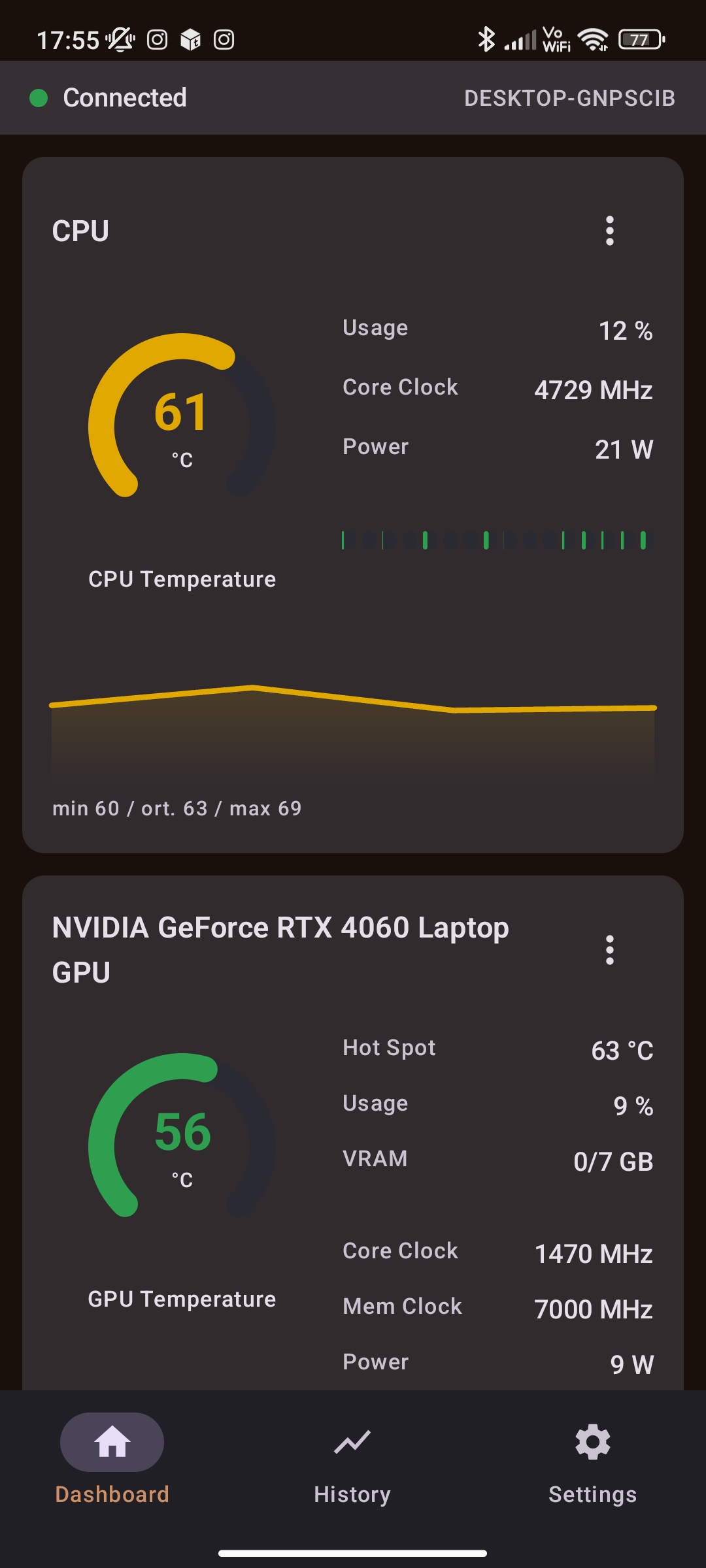
CPU
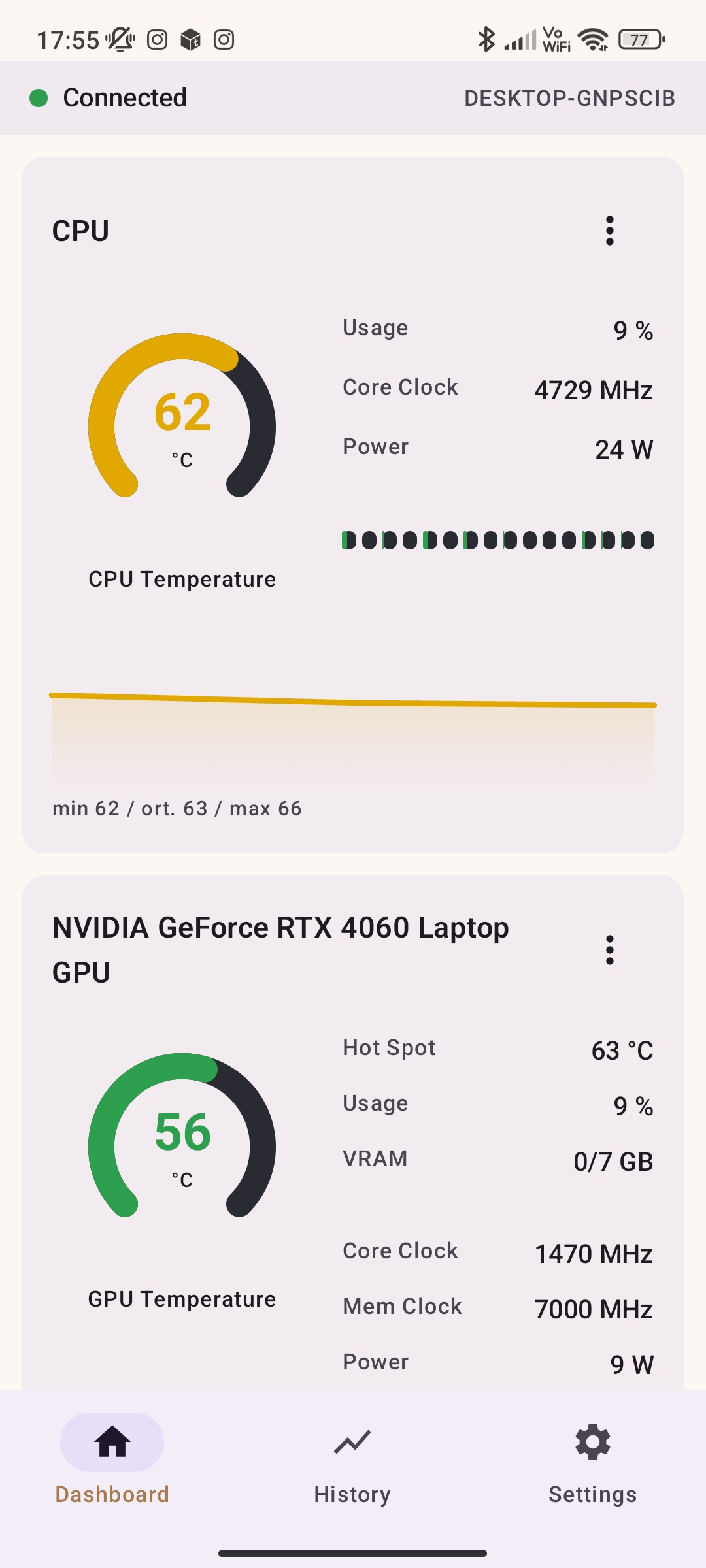
01Temperature, usage, clock speed, power, and per-core load tracking.
GPU / iGPU
02Hotspot, VRAM limits, core & memory clock speeds, and active watt draw.
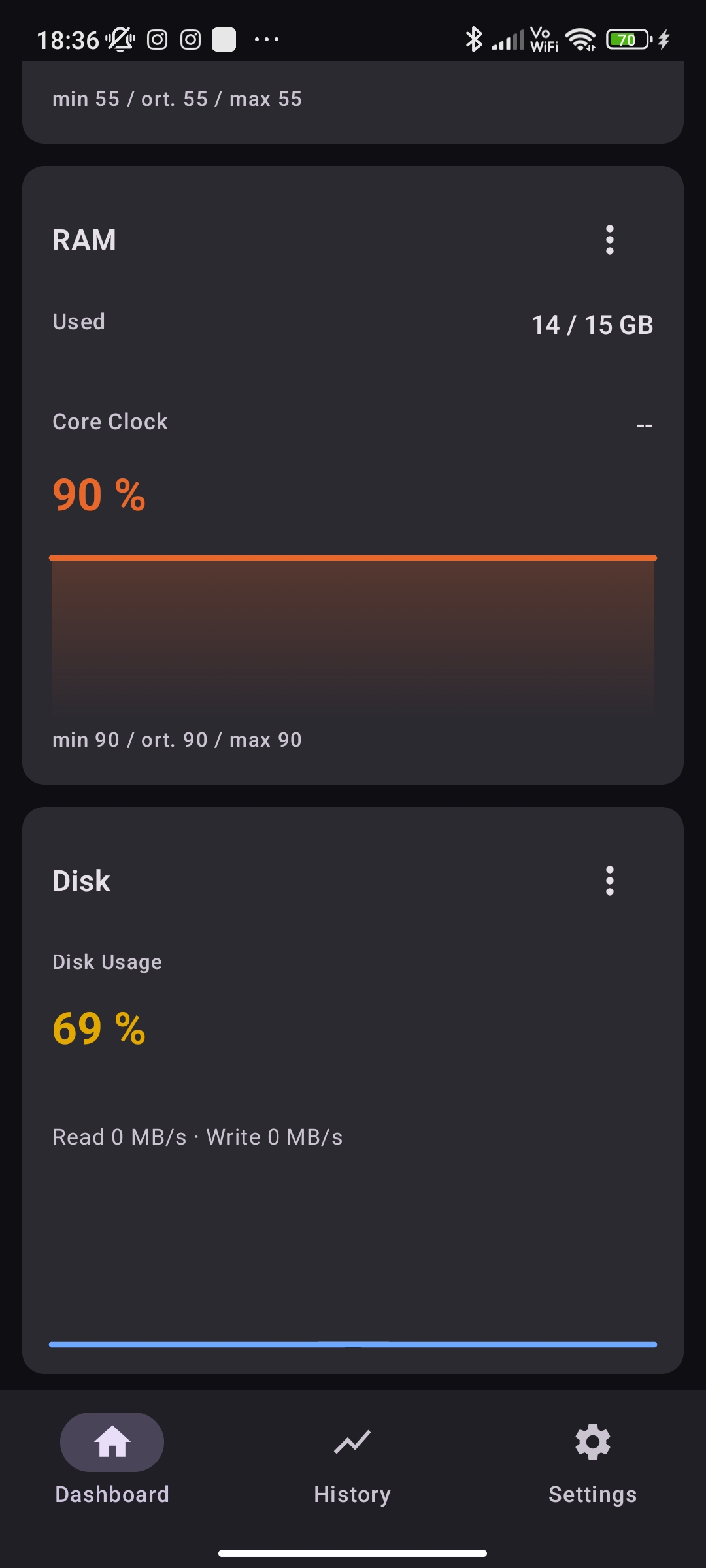
RAM
03Live used vs total capacity in GB, percentage footprint, and MHz.
Disk & Network
04Read/write speeds in MB/s alongside active download and upload rates.
Fan Speed
05Detailed labeled fan RPM readings directly from motherboard headers.
FPS Metrics
06Current, average, and 1% low framerate data collected via PresentMon.
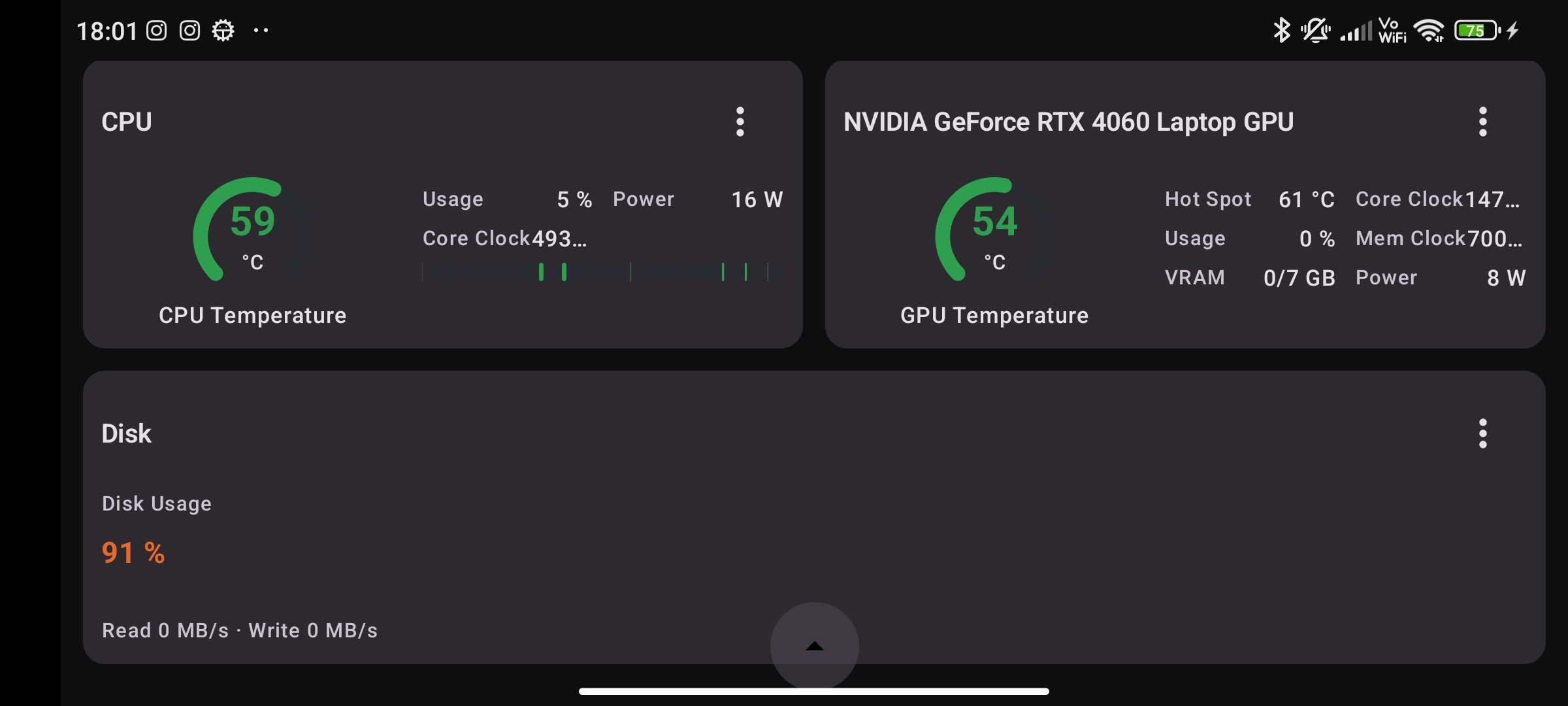
Use your phone as a dashboard
Keep an eye on your hardware without taking up precious monitor space. All your stats perfectly optimized for a single, scroll-free mobile screen.
Core Features
Live charts & history
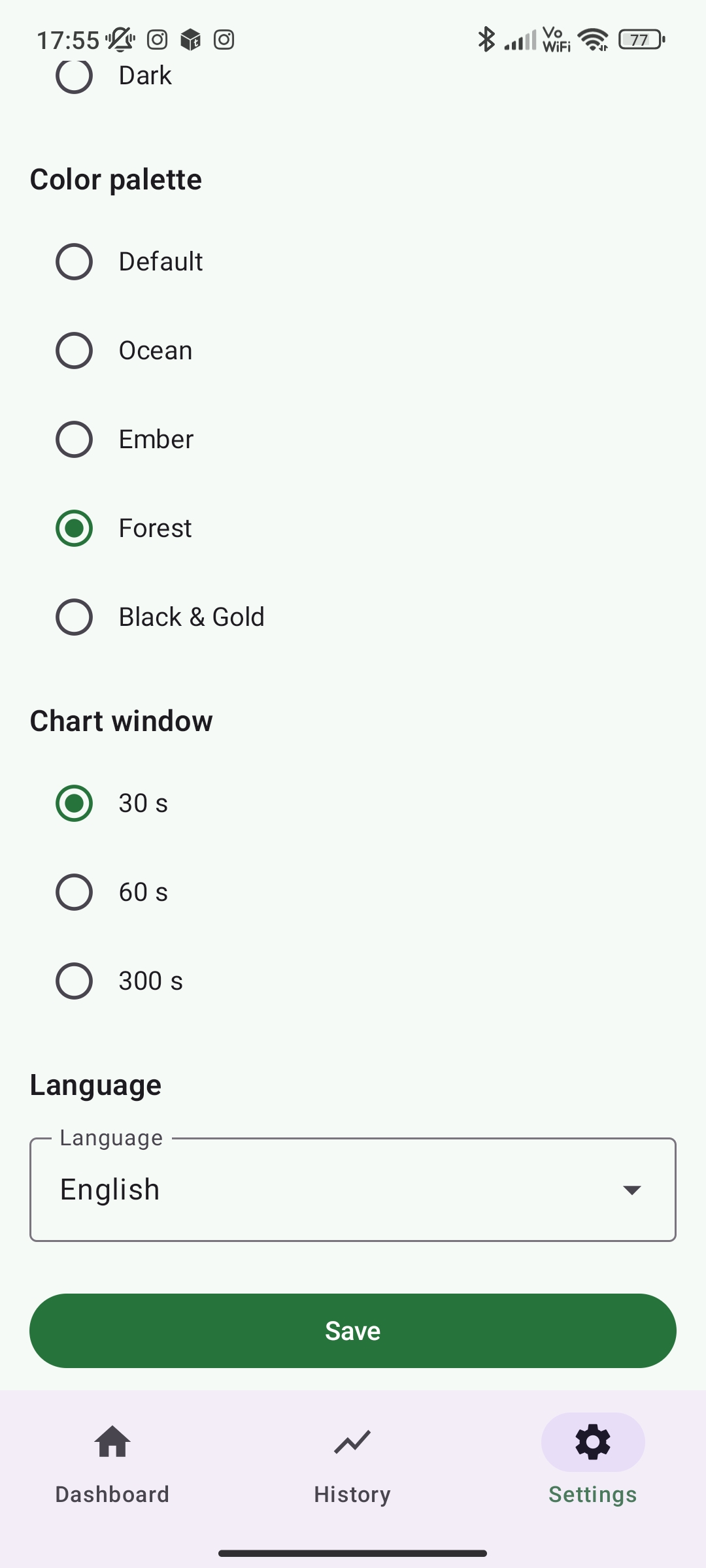
Seamlessly toggle between 30s, 60s, and 300s viewing windows. Up to one hour of continuous historical hardware data is stored efficiently in a local Room database.
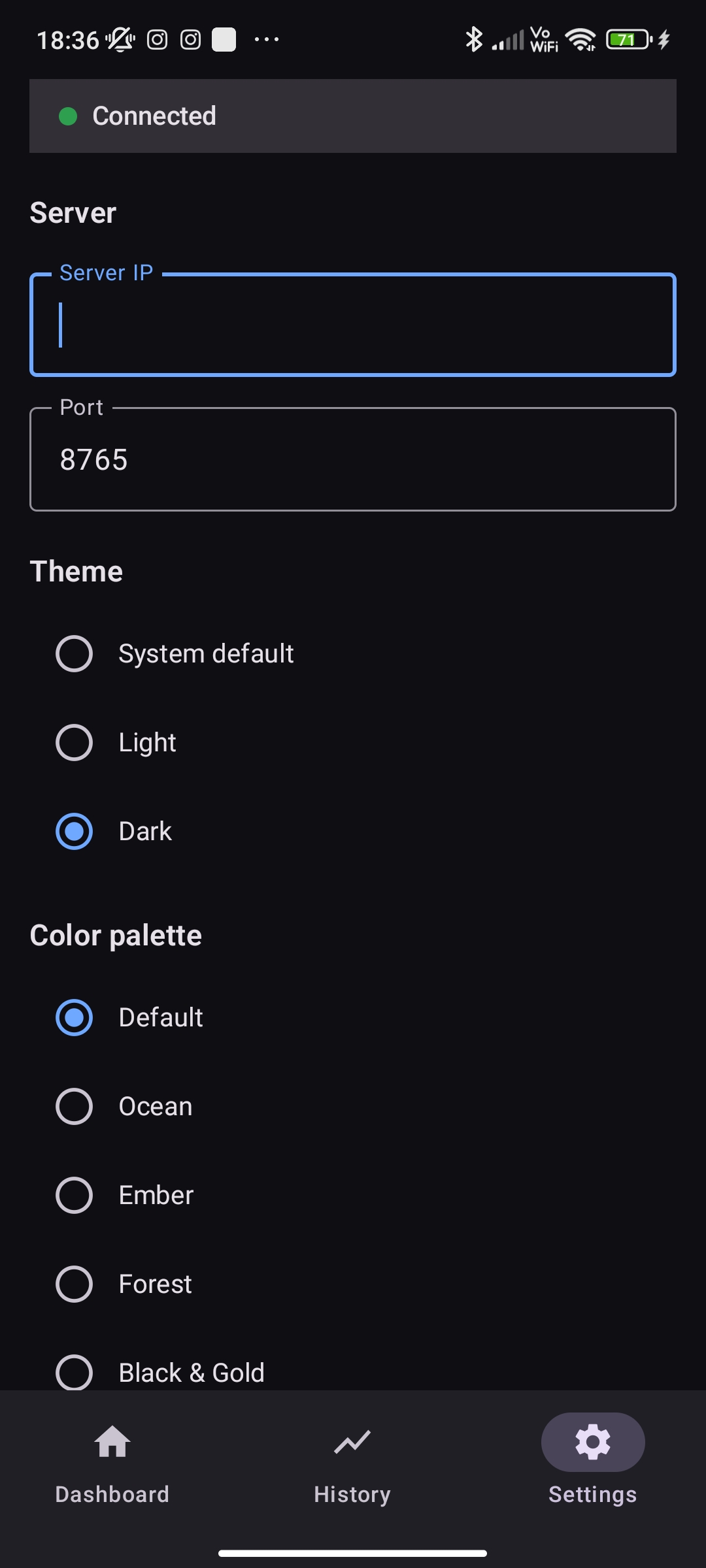
Themes & Palettes
Personalize your dashboard with system-aware Light and Dark modes. Choose from 5 distinct color palettes (Default, Ocean, Ember, Forest, Black & Gold) to match your setup perfectly.
Zero-install Windows EXE
Operates as a single executable file with no bulky installers. Just run it and connect. Includes a safe `--simulate` mode for testing.
How it works
1. Host PC
PcHwMonitor.exe reads hardware data via an embedded LibreHardwareMonitor library and PresentMon64 in the background.
2. Wi-Fi Stream
The host opens port 8765 and broadcasts a dense JSON payload exactly once per second over your local network.
3. Android Client
The Jetpack Compose app connects to the server and visualizes the incoming data in real-time. It never touches your PC directly.
Developer API
Want to build your own client? Connect to the WebSocket and parse the JSON payload sent every second.
{
  "type": "status",
  "timestamp": 1754150000,
  "cpu": { "usagePct": 34.5, "tempC": 61.2, "clockMhz": 5100, "powerW": 125 },
  "gpu": { "tempC": 71.4, "hotspotC": 84.1, "vramUsedMb": 6112, "powerW": 182 },
  "ram": { "usedGb": 11.2, "totalGb": 32, "clockMhz": 3600 },
  "net": { "downloadMbPerSec": 8.1, "uploadMbPerSec": 1.6 },
  "fps": { "current": 142.3, "avg": 138.7, "onePercentLow": 97 }
}